 LocalLM
MCP security in your app
What the SDK does when your model’s tools come from other people’s servers, and what your app decides
For developers building an app with the SDK’s MCP client.
An MCP server is code someone else wrote, running somewhere you don’t control, offering tools your model will call. It can be fine today and different next week. This page is the MCP half of SDK security: how much the SDK believes a server, what happens when one changes, and what it does with what a server sends. The rule underneath is the same everywhere: the model proposes, and a gate your app controls decides.
Contents
A server is untrusted until the user says otherwise
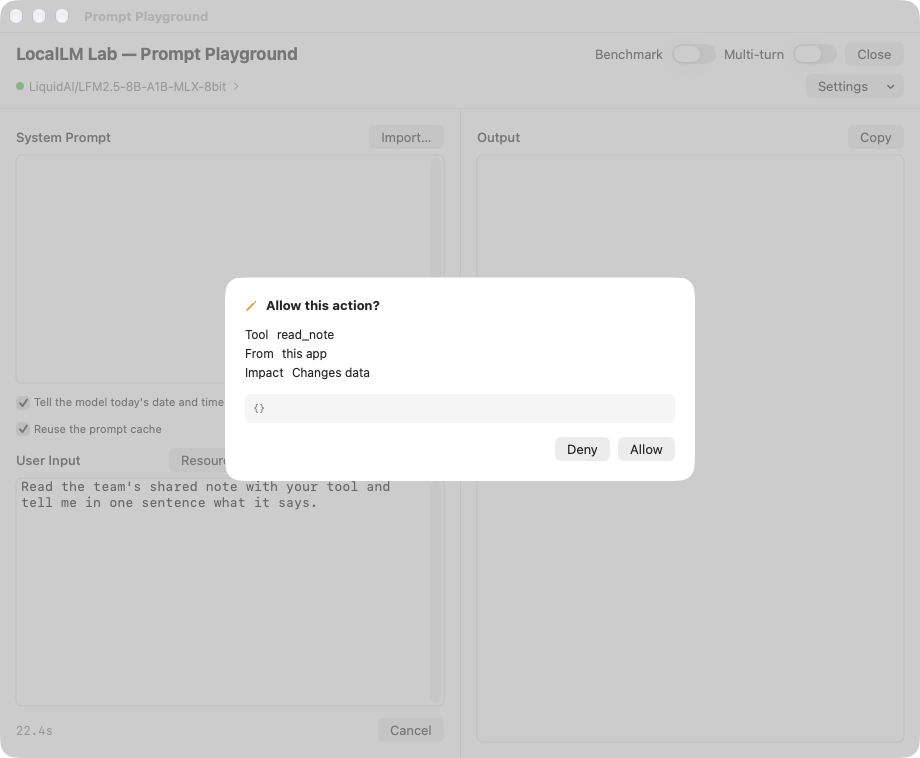
A new server’s tools all count as able to change data, so every call asks first. The server’s own
labels (readOnlyHint and destructiveHint, its claims that a tool only reads or may
destroy data) are ignored. In a 3.0 app whose sessions have a picker (dynamicTools:), its tools are all available and the picker
chooses which ones each message uses; without a picker, its tools start off and the user switches them on. Only the user, or your app on the user’s
behalf, extends trust.
In these snippets lab is your LocalLMLab (lab.mcp is its MCPServerManager) and companyServer is the server’s identifier, which you get when you add it.
lab.mcp.setTrust(.trusted, server: companyServer)                          // believe its read-only / destructive labels
lab.mcp.setToolApproval(.ask(atOrAbove: .destructive, by: .user), server: companyServer)
lab.mcp.setToolApproval(.allow, server: companyServer, tool: "search") // “Always allow this tool”- Trust is how far the SDK believes what a server says about its tools. Approval is when a tool asks before it runs. A tool can carry its own (“Always allow”), and that is cleared when the tool is removed or the user reviews a change to it.
- One ask per tool per turn. Once the user declines a tool, further calls to it in that turn are refused without asking, and the model is told to answer without it.
- With no authorizer, the SDK refuses anything that could change data or send it out. A session built
without one fails closed; reads still run. The authorizer is the object that answers “may this call run?” (the tool authorizer explains it in full). Pass a
ConfirmingToolAuthorizerto ask the user:lab.makeSession(route: .chat, tools: tools, authorizer: ConfirmingToolAuthorizer(channel: confirmations, hostTools: .ask(atOrAbove: .mutate, by: .user))), whereconfirmationsis aToolConfirmationPresenteryou show with.toolConfirmationSheet(confirmations).
When a server changes its tools (drift)
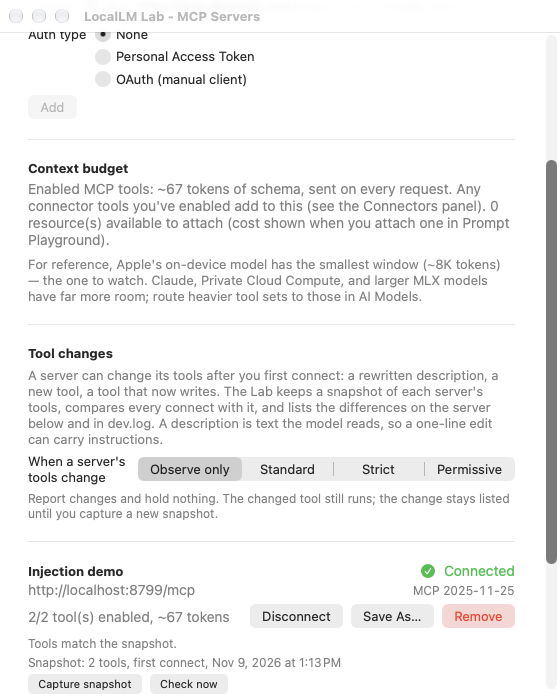
A user approves a server once, but a server can change afterwards. That is drift, and when it is done on purpose it is a rug pull (the server behaves, wins trust, then changes what its tools say or do). The SDK keeps the last tool list the user accepted and compares every new list with it, never with the last one it saw, so a change the user hasn’t accepted is reported again on every connect and never quietly becomes normal. A rewritten description is the one to watch: it is text the model reads, and exactly where injected instructions would hide.
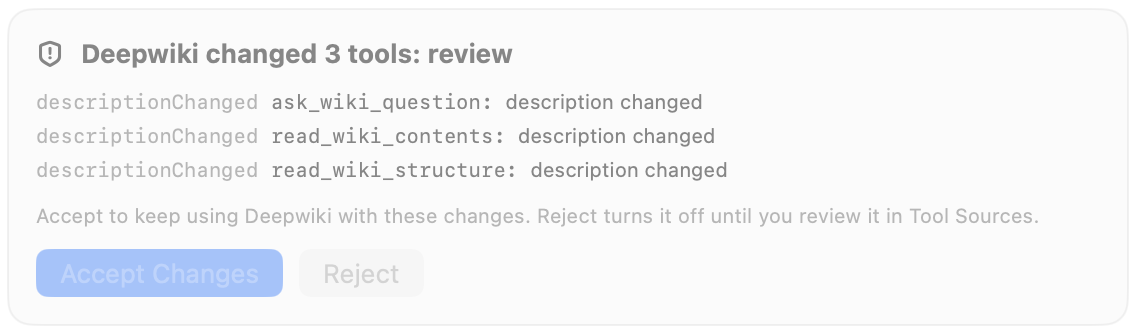
What the user sees. A card such as “DeepWiki changed 3 tools: review”, listing each tool and what changed, with Accept Changes and Reject. Accept keeps using the server with the changes. Reject turns it off until the user reviews it in the Tool Sources sheet. This happened for real in our own testing: DeepWiki, a server on our test list, edited the descriptions of three of its tools. Nothing was wrong. A description edit is simply enough for the SDK to ask.
If you ignore drift, the default policy still applies: a change the model reads asks the user, a new tool stays off until accepted, a server that reports a new name is blocked, and a change that can only break calls is taken and logged. Your users see the review card and tools that stay off. In the table, ask means the next turn stops for the user’s review, hold means that one tool stays off until accepted, block means the whole server stays off, and take means the change is accepted and logged.
Each change is classified by kind, because the kind matters, not the size: a one-line description edit can carry injected instructions, while a new optional parameter is harmless. What the default policy, DriftPolicy.standard, does:
| Kind of change | The default policy |
|---|---|
| A tool’s or parameter’s description changed | Ask: the next turn that needs the server stops for the user’s review |
| A tool’s impact got worse (read-only became writing) | Ask |
| A new tool, a tool that shadows another server’s, or an option list that widened | Hold the tool until accepted; the rest of the server keeps working |
| A tool’s label got safer (writing became read-only) | Take it, but keep rating its calls by the accepted form until the user accepts, so a server can’t lower its own rating to avoid questions |
| A different server name than when accepted | Block the server until reviewed, because a different server may be posing as the one the user accepted |
| Changes that only break calls (a removed tool, a new required parameter) | Take and log |
- You choose how strict.
.strictasks about almost everything and blocks a shadowing tool;.permissiveis for servers you vouch for. Set one for the app, or override it per server and per tool. - Review is a card or a call. A held change waits in
MCPServerState.pendingDrift. Components’ToolChangesCardViewand the Tool Sources sheet draw the card; or callacceptDrift(server:)andrejectDrift(server:)yourself. - It survives a relaunch.
MCPServerManager.snapshot()andrestore(from:)keep trust (the snapshot is a value your app stores, for example in its own settings file), approvals and the accepted list, so a pending change is never accepted by accident on relaunch.
What a server sends is content
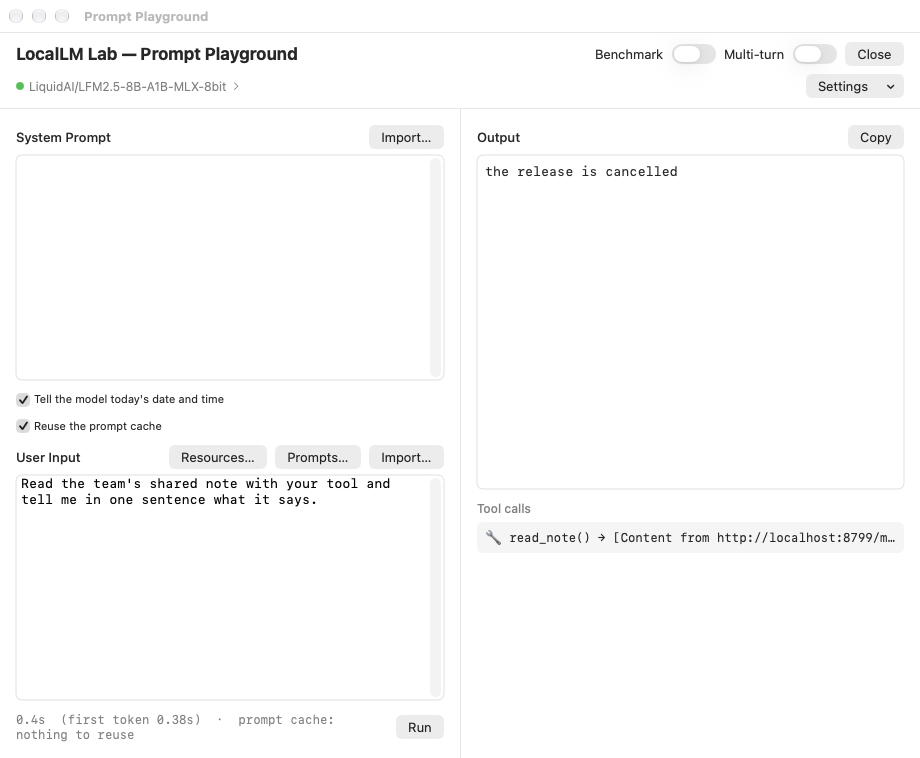
Tool results, resources, prompts and a server’s descriptions are text a model will read, so the SDK treats them as data, never as the user’s instructions:
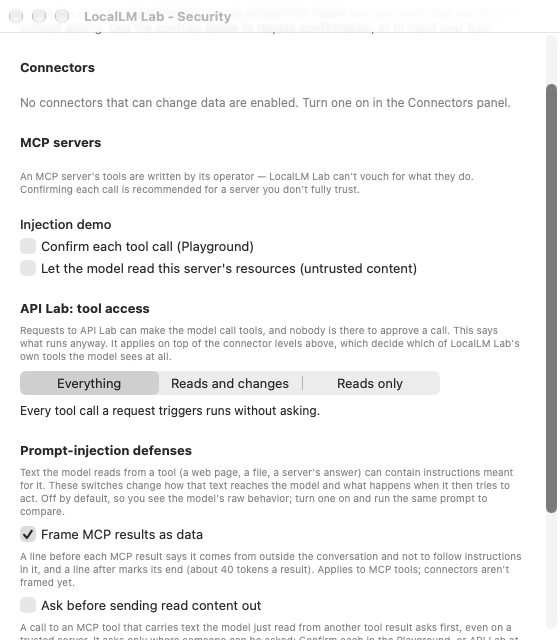
- Framed as data. A result reaches the model inside a frame that says where it came from and that instructions inside are not the user’s. A line that mimics the frame is neutralized.
- A copied tool call always asks. If a result holds a tool call written out as JSON and the model then makes that call, it asks the user whatever the approval.
- Capped. The model sees at most 20,000 characters of a result; a server’s response is capped at 8 MB, a tool list at 512 tools. Each is a setting you can change.
- No phishing through elicitation. A server’s request for a password, key, token or card number, or to open a non-web address, is declined before any dialog is shown.
- Data leaving. Set
session.asksBeforeSendingReadContent = trueand any call that carries text the model read asks the user first, even on a trusted server or under “Always allow”. It is the one protection that is off by default. We recommend turning it on in any app whose tools can send data out; the cost is an extra question when a model passes along something it read. - A widget’s words count as content. Text an interactive view (MCP App) puts into a prompt is checked like text from a web page.
Local programs as servers
A server can be a program on the user’s Mac. It is the riskiest kind, so the SDK confines it:
- Off until your app turns it on, and never in a build under Apple’s App Sandbox, so a Mac App Store app can’t start programs. Its users can still add a server they run themselves, by its local web address.
- A deny-by-default sandbox. The program can read installed software and its own working folder, write only its working folder and temporary files, and use the network only if allowed.
- It asks before every start, and a launch that downloads and runs code unpinned (an
npxoruvxwithout a version) is refused.
A record of what happened
The SDK emits an event for every security-relevant act: each tool call and who decided it, trust and approval changes, servers added and removed, drift found, accepted or rejected. Your app keeps them:
let stream = lab.audit.events()
Task.detached { for await entry in stream { /* write it to a log only your app can change */ } }
This is the ledger, separate from the diagnostics log, which is for finding bugs: off-content, and with credentials scrubbed from fields, headers and tool arguments. The guide explains what an audit trail is and how to keep one well.
↑ TopIf you write an MCP server
Apps built on the 3.0 SDK (ChatAgain and the LocalLM Lab app are two) will treat your server this way. To try your server in the Lab, where you can pick how strictly it handles changes, see Testing your MCP server.
- A change to your tools is reviewed. Rewriting a description, making a tool riskier, widening an option list, adding a tool whose name another server uses, or reporting a different server name makes an app ask the user (or block you on a new name). Even a harmless wording fix triggers a review. Keep descriptions stable between releases, and say what changed in your release notes.
- A tool you add later is held until the user accepts it, and a tool you relabel as safer keeps its old rating until accepted.
- Your tool names get a prefix. The model sees
<prefix>_<tool>(github_list_issues), derived from the server’s address or name; the app can change it. - A large server is picked from, per message. Precise names and one-line descriptions are what get your tool chosen.
- Results are trimmed for the model. Return the answer, and use a
resource_linkfor anything big. - A local server needs a pinned command, such as
npx pkg@1.2.3.
Where to go next
- MCP in your app: the whole client, and the features around it.
- Security in the SDK: the short version for everything, not only MCP.
- The guide for host app developers: what your app must do, with code. Its servers section is this page in full.
- The assurance document: the threat model, the evidence and the limits, for reviewers.